Independent project / AllyLab
From findings to reviewable fixes.
An accessibility review workflow across a React dashboard, API and CLI, with a companion Next.js website.
The problem
An accessibility finding is only the beginning. Engineers need to understand its severity, track its status, inspect a suggested change and verify what remains.
What I built
I built AllyLab’s accessibility review workflow across a React dashboard, API and CLI, and its companion Next.js website. The interface connects automated findings with AI-assisted suggestions and human review.
Decision & tradeoff
Severity and issue status remain separate because urgency and lifecycle answer different questions. Reporting views load on demand, with chart and export code separated from the initial loading path.
Deferred screens need explicit loading states. Structured suggestions remain proposals for human review. No bundle-size or load-time improvement is claimed here.
How the workflow fits
- Finding. Scan output identifies the rule, severity and affected interface.
- Suggested change. Structured AI-assisted suggestions connect proposed code to the finding.
- Review + rescan. Inspect the change and check whether the rule remains.
Explore the implementation
Real application · guided still sequence · synthetic findings and metrics · no API or model calls.
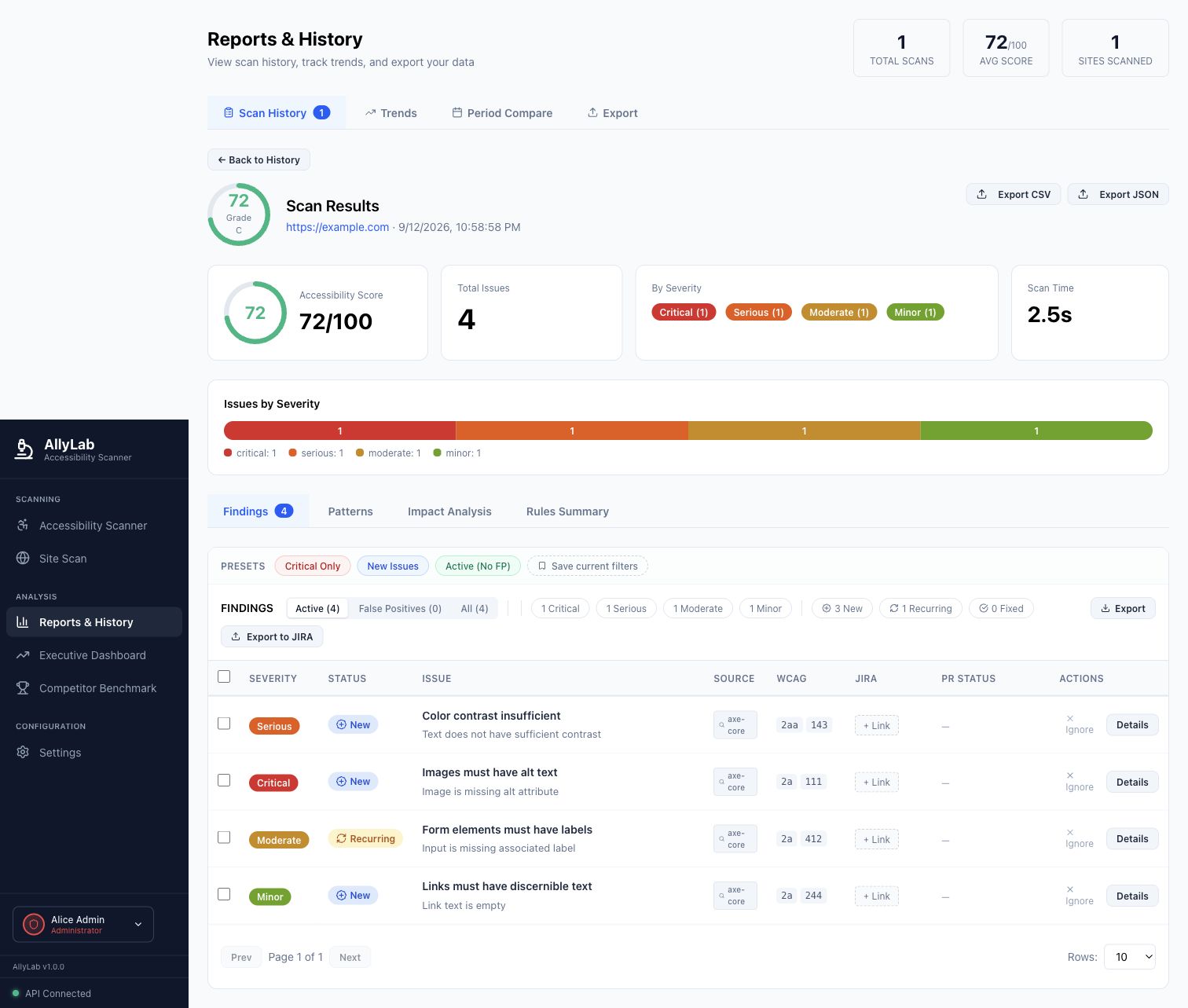
1. Review findings
Four synthetic findings keep severity and lifecycle status separate. These sample findings illustrate interface states, not accessibility results for a real customer.
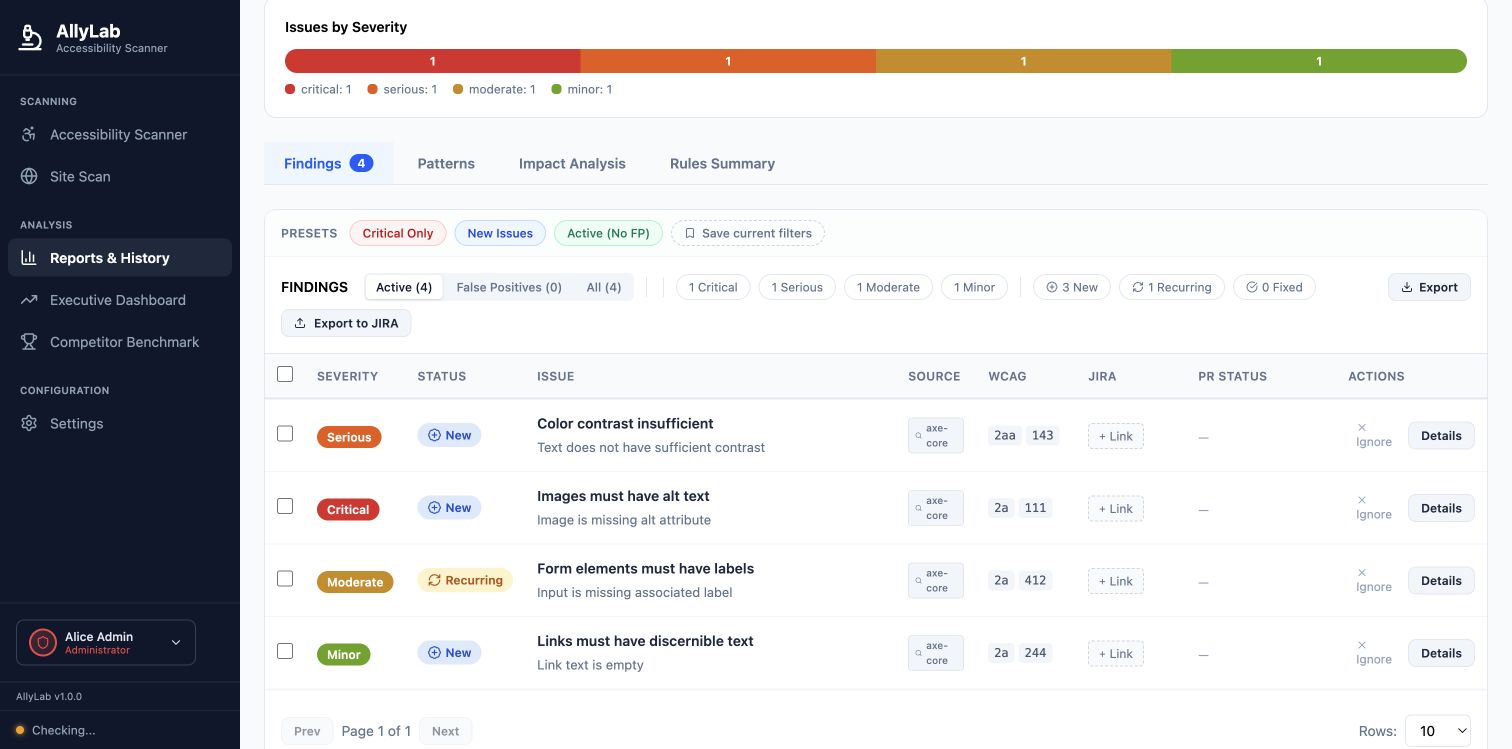
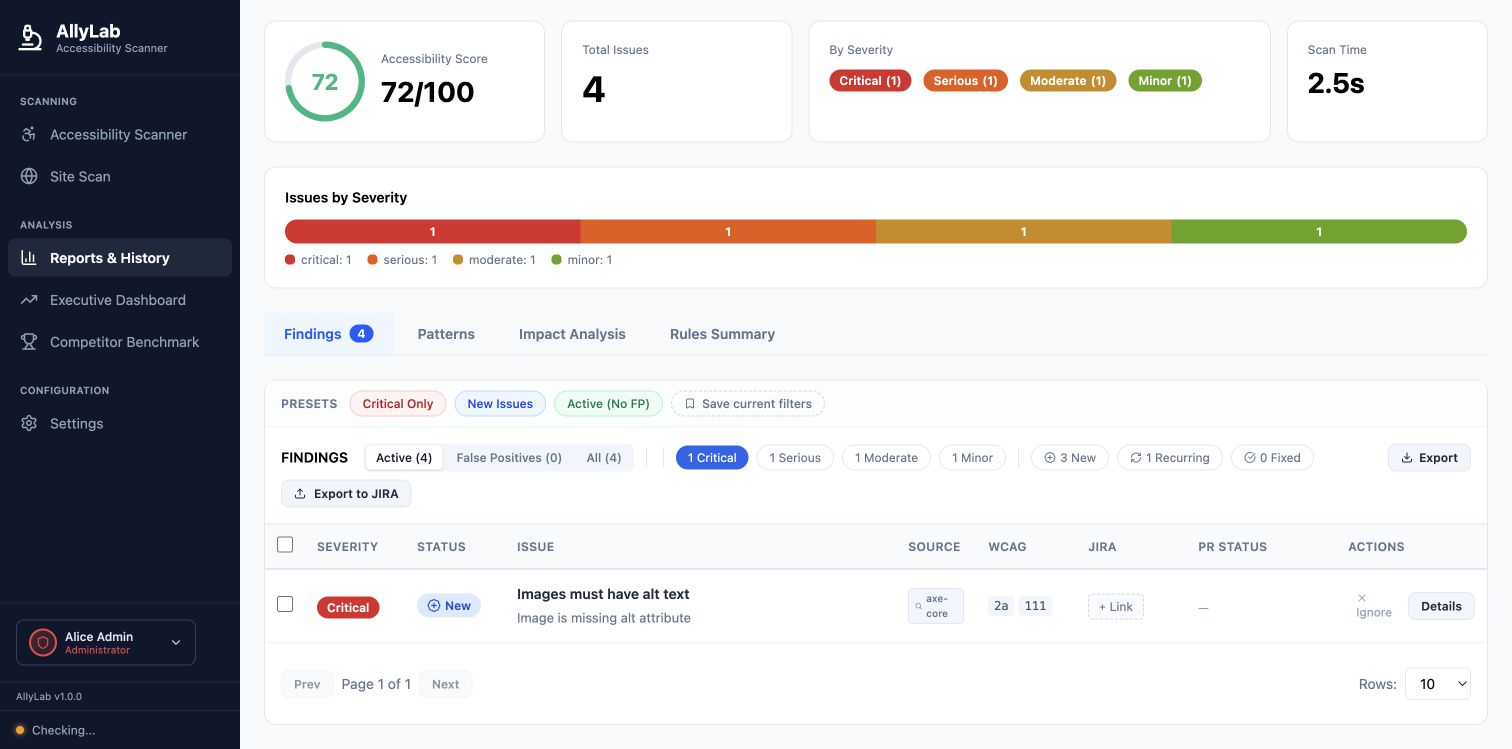
2. Filter by severity
Selecting Critical narrows the table to the missing-alt finding. The score and scan time visible in this fixture are synthetic, not measured performance.
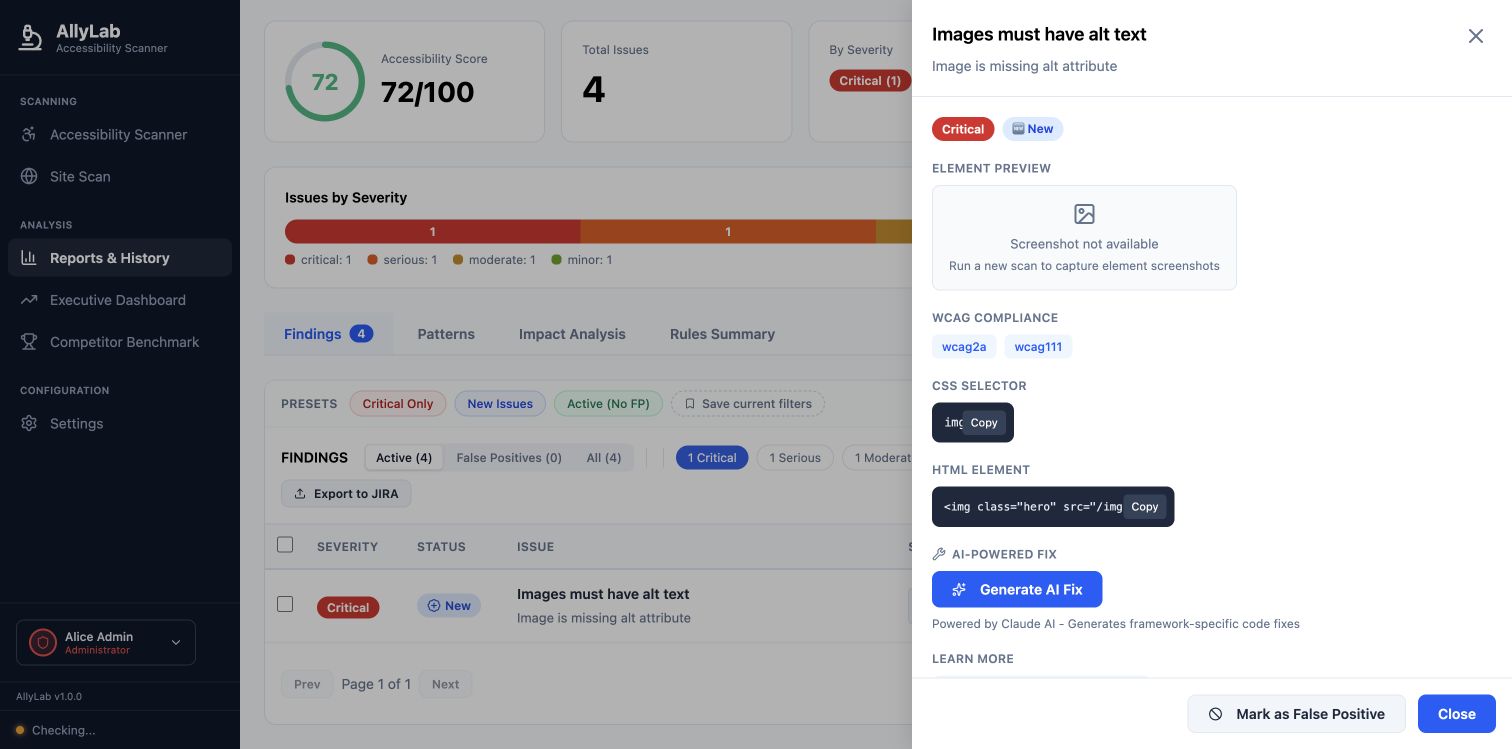
3. Inspect the finding
The detail panel exposes the rule, selector and source element. The fixture has no element screenshot, so the real interface shows its empty state. Generate AI Fix was not activated.
Result & limits
The implementation includes selection, filtering and finding-detail tests, plus rescan utilities that check whether rule IDs remain. The result connects a reported issue to a reviewable change.
A suggested fix still needs review. Automated checks and rescanning do not certify accessibility or establish a measured accessibility outcome.
Inspect AllyLab on GitHub ↗More engineering stories